Browse 1,092+ Apple Watch faces and add them to your watch with the free Watch Faces Gallery® app. Every face installs natively as a .watchface — a Photos wallpaper face or a built-in complication face — so it runs on your Apple Watch, not inside another app.
Our editor's favorite watch faces.
The most popular watch faces this week.
Official-style watch faces from the brands you love.
Holiday, seasonal, awareness, and event-themed faces.
Faces inspired by movies, TV, music, gaming, and pop culture.
Unique artistic, abstract, expressive, and experimental designs.
Fun character, mascot, animal, and avatar-themed faces.
Classic watch-inspired designs with timeless style.
Time inspired by celestial, weather, and the world around you.
 Watch Faces Gallery®
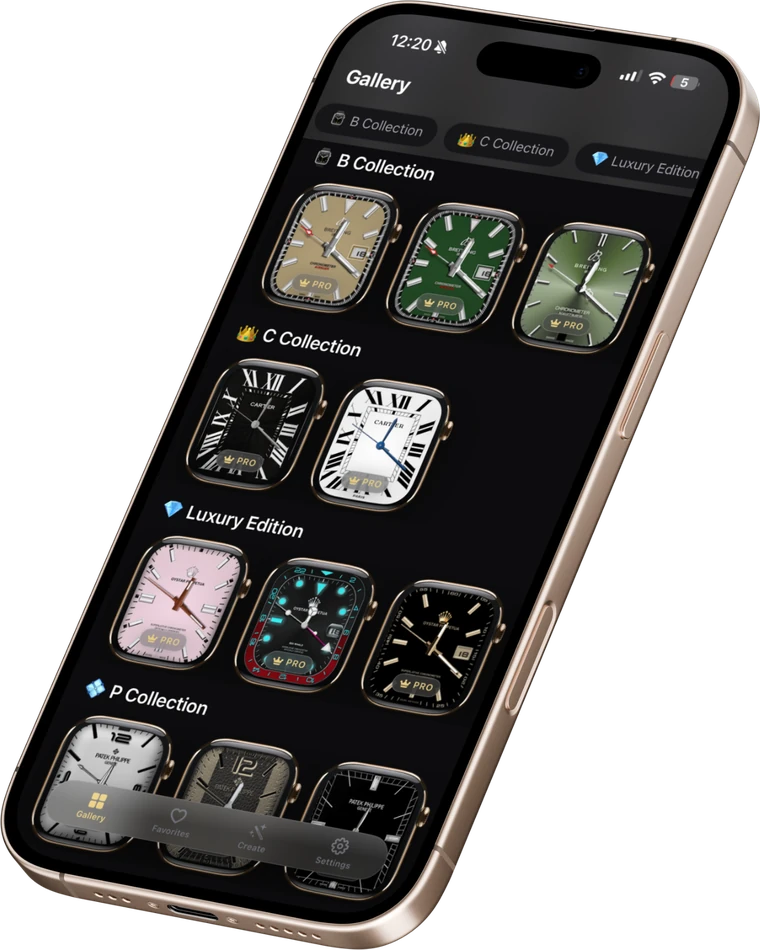
Yes. The Watch Faces Gallery iOS app is free to download and most faces are free to add. A few premium ("PRO") faces exist and are clearly marked Free or PRO in the catalog.
Browse a face on this site, open the free Watch Faces Gallery app on your iPhone, and add the face to your Apple Watch. Faces install natively using Apple’s own .watchface format, so they run on the watch itself.
Yes. Watch Faces Gallery supports Apple’s Photos watch face, so you can set an image — including your own photo — as your Apple Watch face.
No. Watch Faces Gallery installs real Apple Watch faces through Apple’s native .watchface mechanism (Photos and built-in complication faces). Apps like Facer and Clockology run your faces inside their own app; Watch Faces Gallery uses Apple’s own faces instead, so they work even with Always-On and no app running.
A wallpaper (Photos) face uses an image as the background with the time over it. A complication face is a built-in Apple Watch face style that shows data such as date, activity, or weather. Watch Faces Gallery offers both.
Watch Faces Gallery installs faces through the iPhone app onto your paired Apple Watch. Availability of specific face types depends on your watchOS version and Apple Watch model; the app lists the requirements when you add a face.
Yes. Watch Faces Gallery has seasonal collections for Halloween, Thanksgiving, Christmas, and New Year, plus sports-themed faces, refreshed around each season.
Watch Faces Gallery has luxury-, sports-, and anime-inspired designs. These are "-style" / inspired faces created by Watch Faces Gallery; they are not official or licensed products of any brand.
Facer is a marketplace whose faces run inside the Facer app. Watch Faces Gallery is a free catalog that installs faces as Apple-native .watchface files, so they behave like any built-in Apple Watch face and stay on with Always-On — no on-watch render app needed.